Knowledge base › Selling
Create a line sheet
A line sheet is a wholesale catalog of your products. Catalyn makes it as a PDF to send, or as a link that always shows your current products and prices. Starter includes 5 line sheets and Growth includes 50.
Choose the products
- Open Products and filter to the products you want, for example the live products from one supplier. Or tick individual products.
- Open Bulk actions and choose Create a line sheet of N products.
To make one of every product instead, go to Selling, Line sheets and select New line sheet (all products).
Set it up
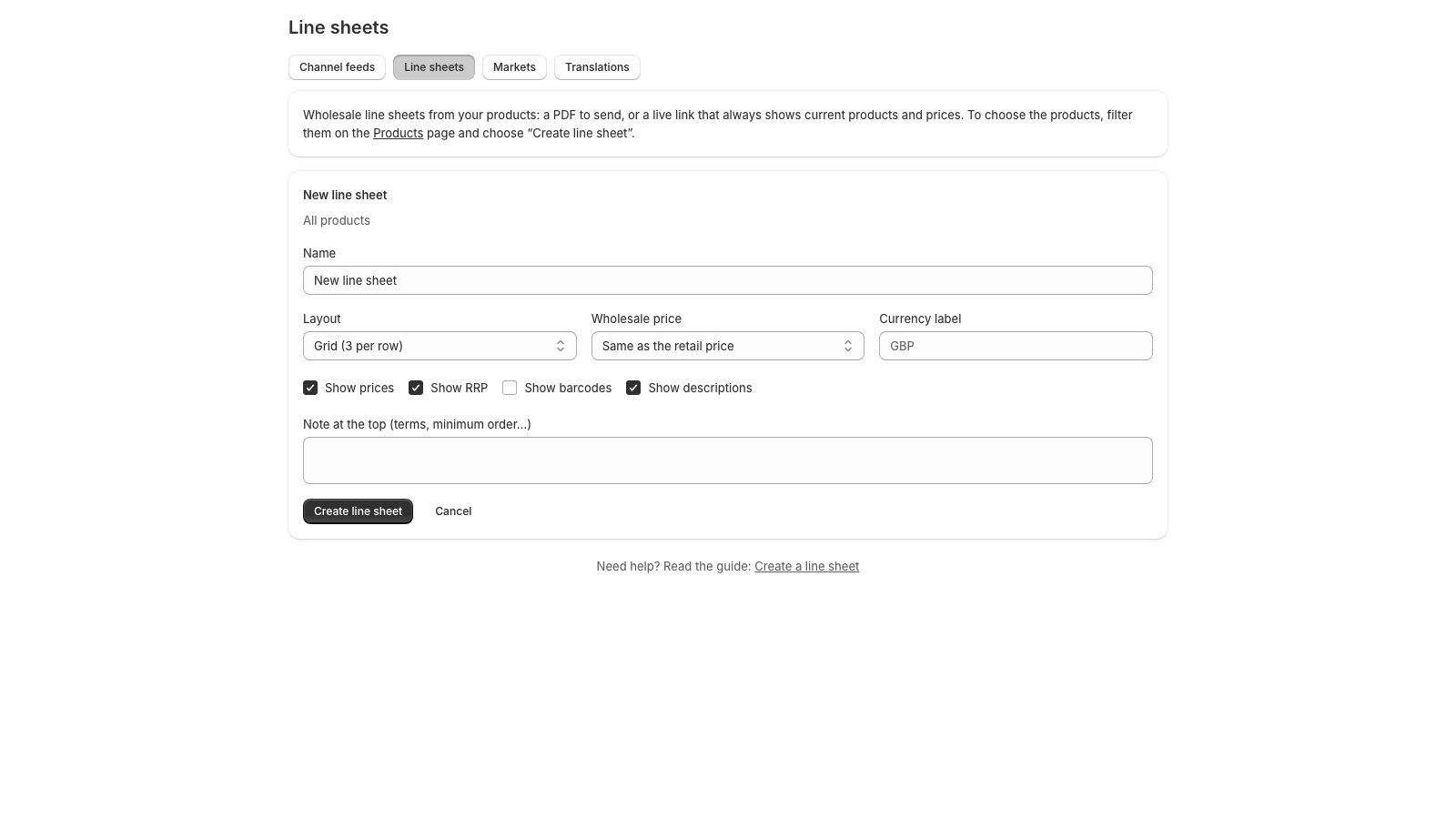
- Give it a Name.
- Choose the Layout: a grid with three products per row, or a list.
- Choose the Wholesale price: the same as the retail price, your cost times a markup, or a discount off retail. For a markup or a discount, enter the amount.
- Enter a Currency label if you want the currency shown.
- Tick what to show: Show prices, Show RRP, Show barcodes and Show descriptions.
- Add a Note at the top for terms such as a minimum order.
- Select Create line sheet.
Send it
Each line sheet appears on Selling, Line sheets.
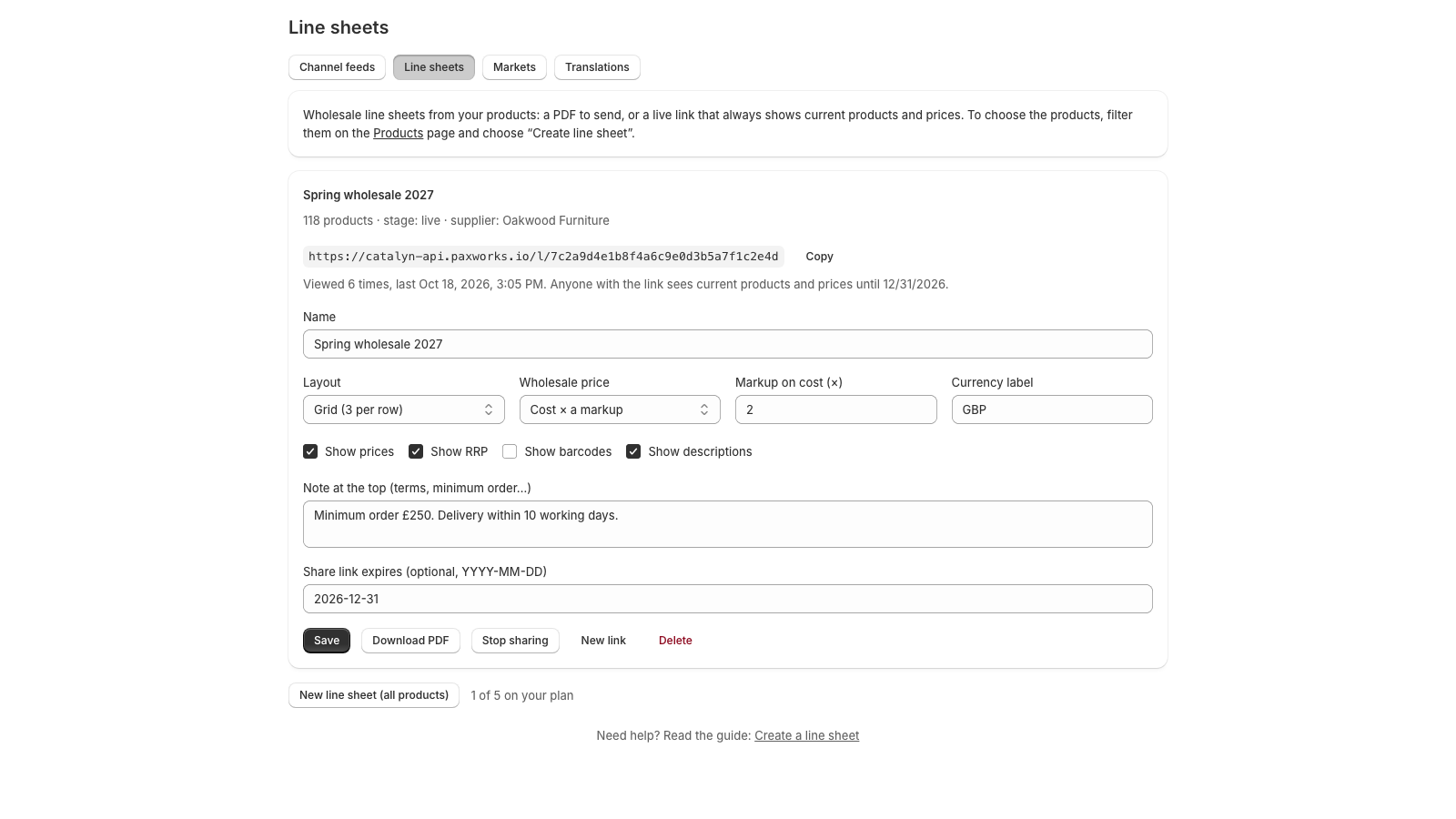
- Download PDF makes a PDF you can email.
- Copy copies the share link. Anyone with the link sees your current products and prices, until the date you set under Share link expires. The card shows how many times it has been viewed.
- Stop sharing turns the link off. New link makes a fresh address, and the old one stops working at once.
- Change any setting and select Save. Delete removes the line sheet.
Keep a share link private, because it shows your wholesale prices to everyone who has it.
Related
Find and fix products that need attention · Manage your images
Still stuck, or something here is out of date? Email [email protected].