Knowledge base › Products and quality
Find and fix products that need attention
The Products page lists every product with its readiness score, price, margin and the checks it fails, so you can see what to fix first.
Choose a view
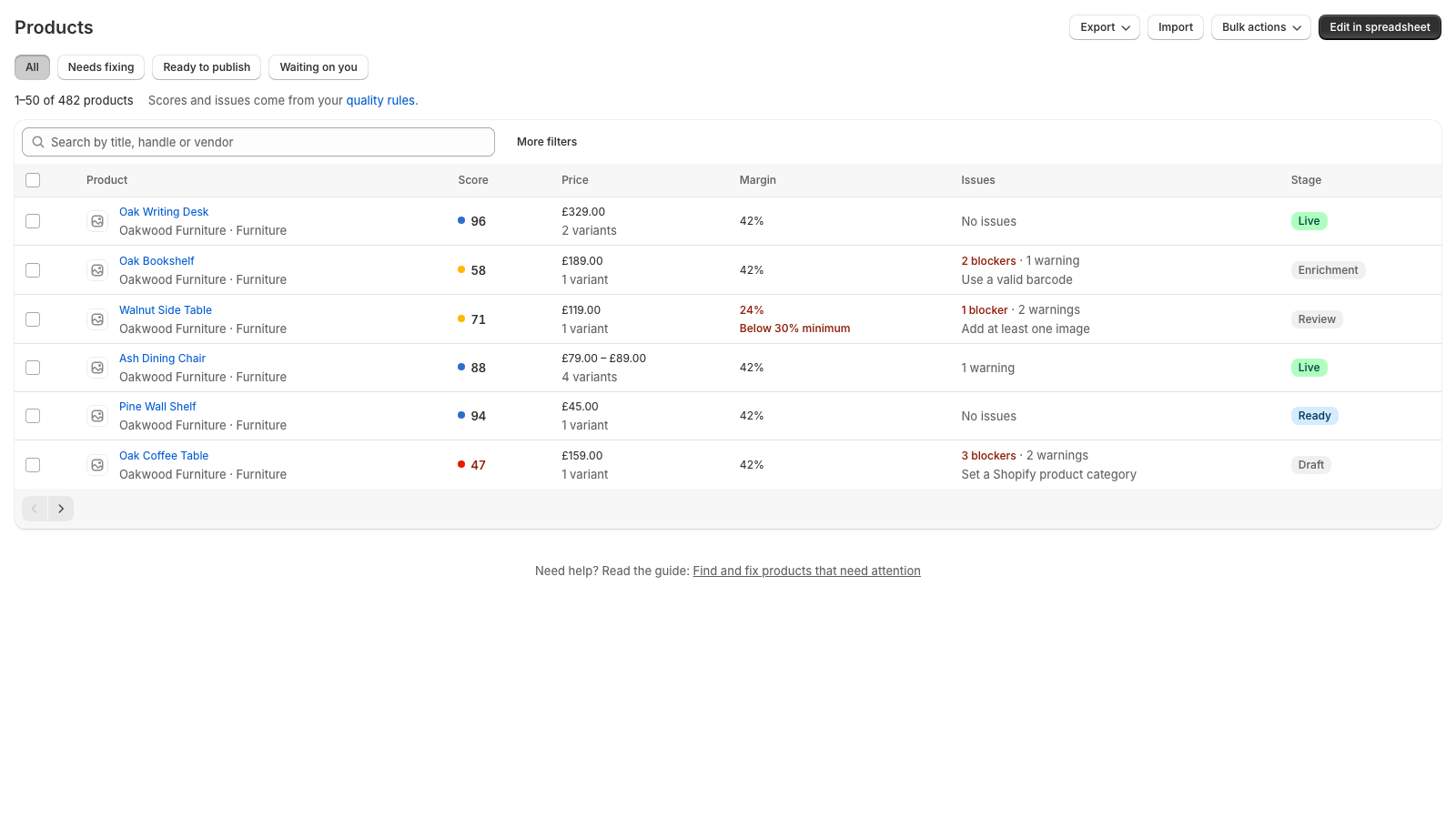
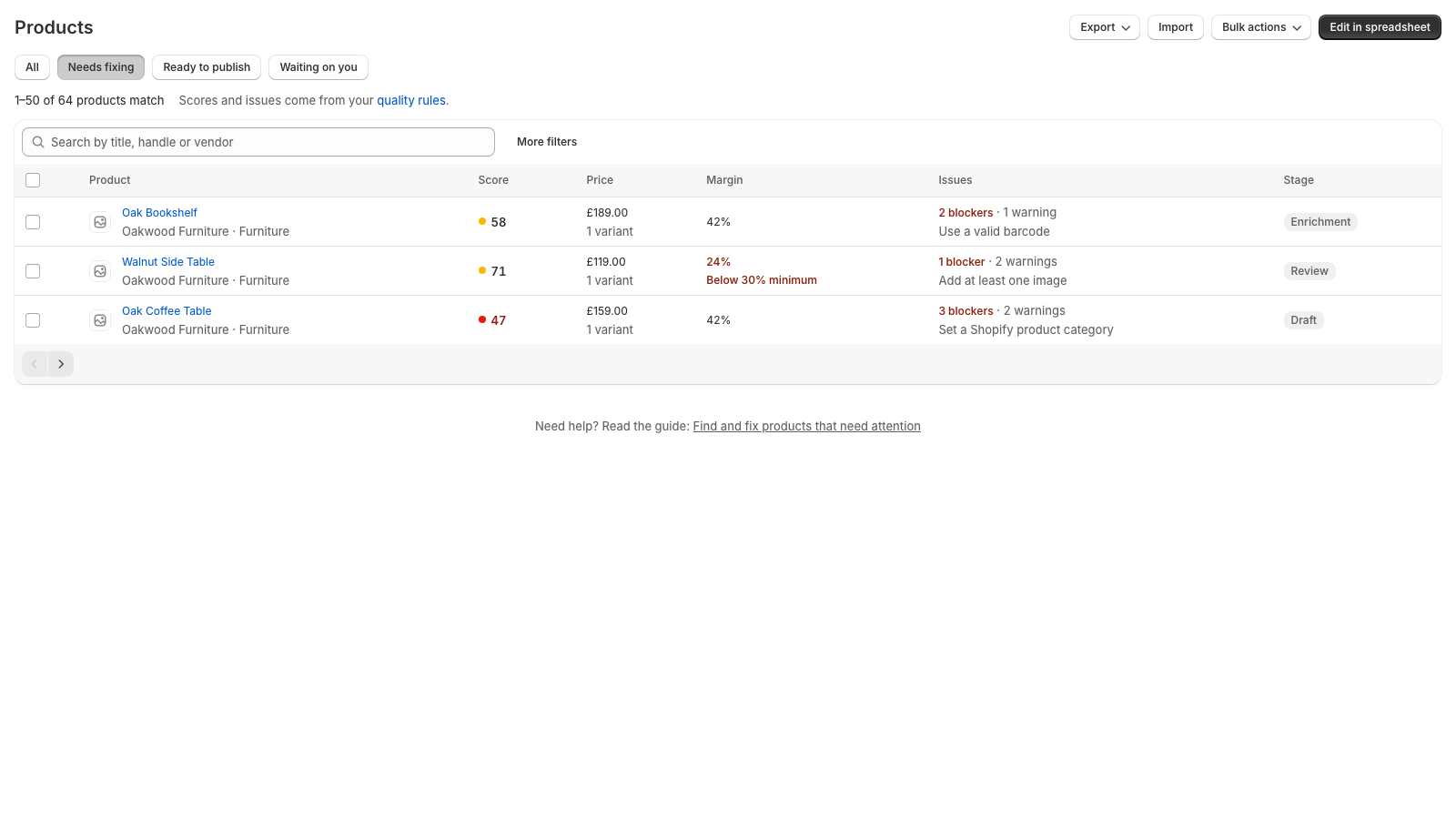
Four views sit along the top:
- All: every product.
- Needs fixing: products that fail at least one blocker.
- Ready to publish: products in the Ready stage.
- Waiting on you: products with changes you need to look at, such as changes made directly in Shopify, changes not yet sent to Shopify, or a sign-off waiting.
Search by title, handle or vendor. More filters narrows the list further by readiness, stage or status in Shopify. Select a filter's chip to remove it.
Read a row
- Score runs from 0 to 100. The coloured dot shows the band: red below 50, amber from 50 to 79, blue from 80 to 99, and green for a perfect 100.
- Price shows the range across variants.
- Margin appears when the product has a cost. It turns red with "Below 30% minimum" (your own figure) when a variant sells under the minimum margin you set for the supplier.
- Issues counts blockers and warnings and names the most important failing check. A blocker stops a product moving on. A warning does not.
- Stage is where the product is in your workflow: Draft, Enrichment, Review, Ready or Live.
Fix one product
Select a product. What's next at the top lists its blockers, and each one links to where you fix it. Readiness checks shows every failing check and why, for example that a barcode fails its check digit.
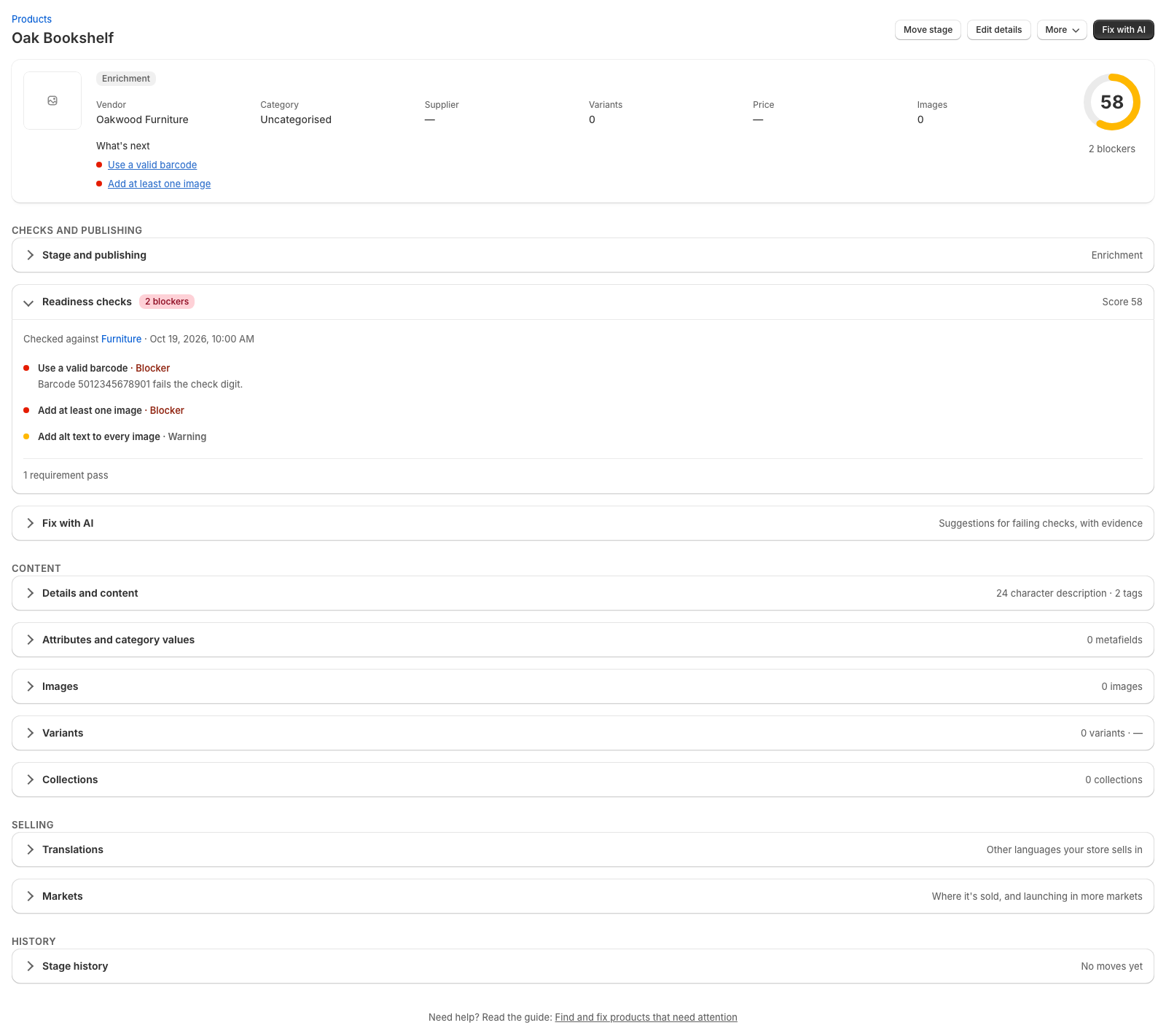
Fix with AI suggests a description, SEO title and description, tags, image alt text and a Shopify category from the facts you already have. You edit or skip every suggestion, and a live product changes only after you approve the update.
Fix many products at once
Tick the boxes beside products, or tick the box in the header to select the whole page. When the list is filtered, you can Select all products that match.
- Bulk actions changes a field, moves products to another stage, fixes them with AI, edits their images, creates a line sheet or downloads spec sheets. Moving stage and Fix with AI need a filter so you only act on the products you meant.
- Edit in spreadsheet opens a grid for the products in view. Your edits become an update you approve.
- Export downloads the products as CSV or Excel, or schedules a regular export by email.
Changes to live products always wait in Approvals until you approve them. See Approve and undo an update.
Related
Still stuck, or something here is out of date? Email [email protected].