Knowledge base › Suppliers and imports
Check a supplier file for free
Before you subscribe you can upload one of your suppliers' files and see what applying it would do. Nothing is written to your store, and nothing is added to your Catalyn catalog.
How to check a file
- Go to Suppliers, Imports and upload a CSV, Excel or PDF (or try the sample file).
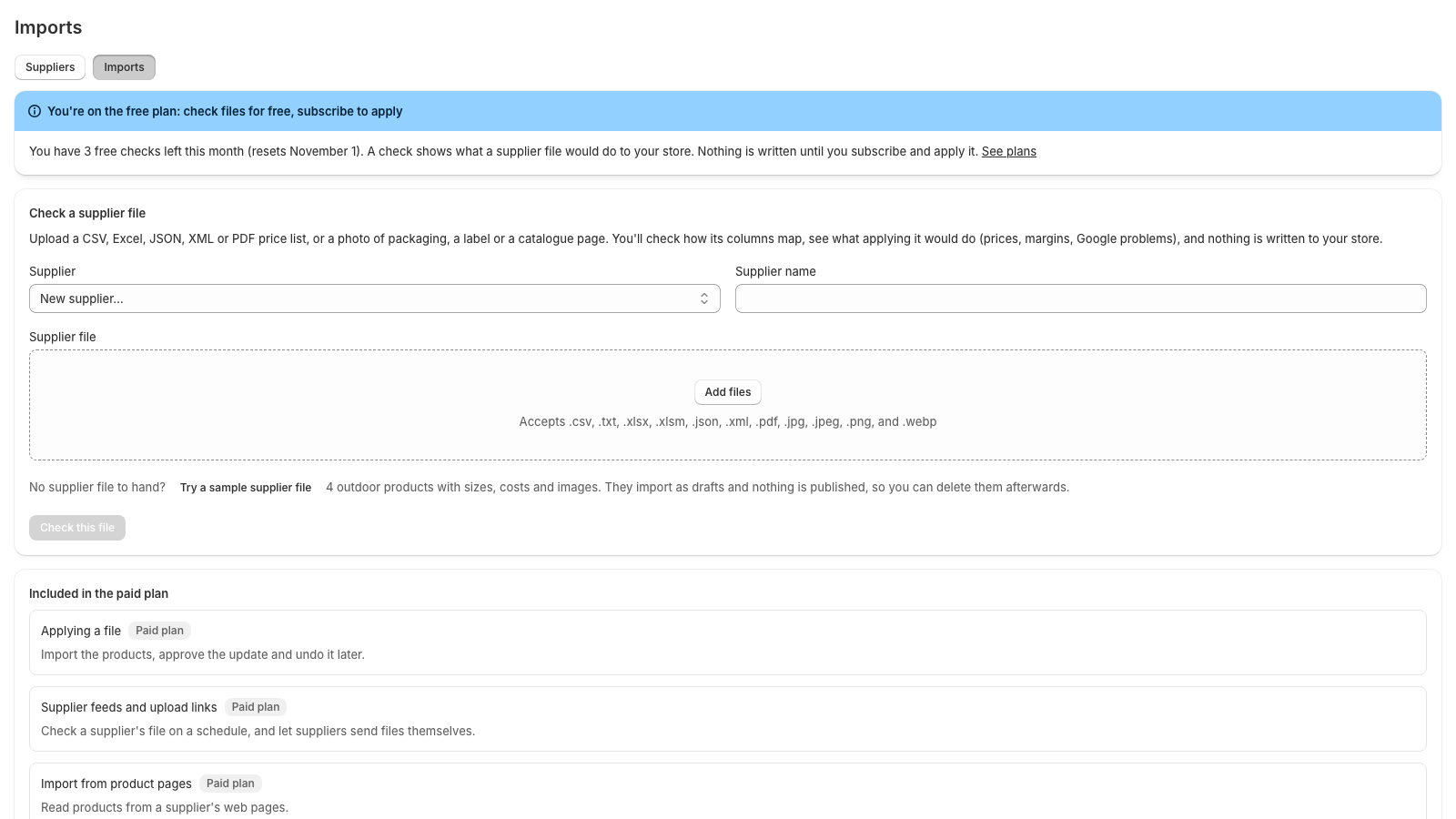
The Imports page on the free plan - Confirm the columns. Catalyn suggests which column is which. Confirm the price, cost and stock columns.
- Tell us your lowest margin. If the file has a cost column, enter the lowest margin you would accept on this supplier (a percentage), or choose not to check margins.
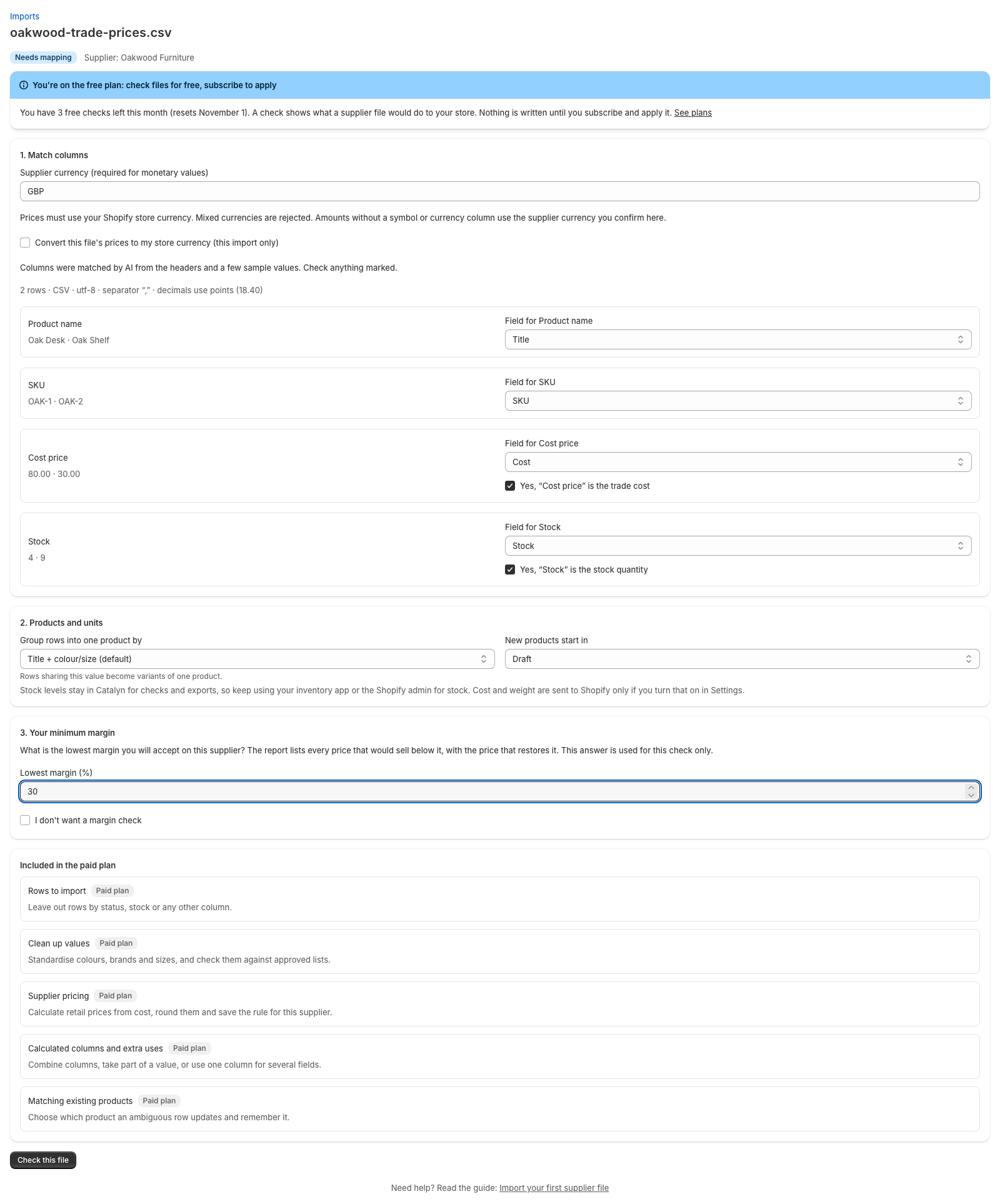
Confirming the columns and entering the lowest margin - Check this file. You get a report:
- how many products would be new, updated, unchanged or rejected;
- prices and costs that moved, and any price that would sell below your margin, with the price that restores it;
- products that would be blocked on Google Shopping, and why (image sizes are checked after you subscribe);
- rows that need a decision, such as a row matching more than one product.
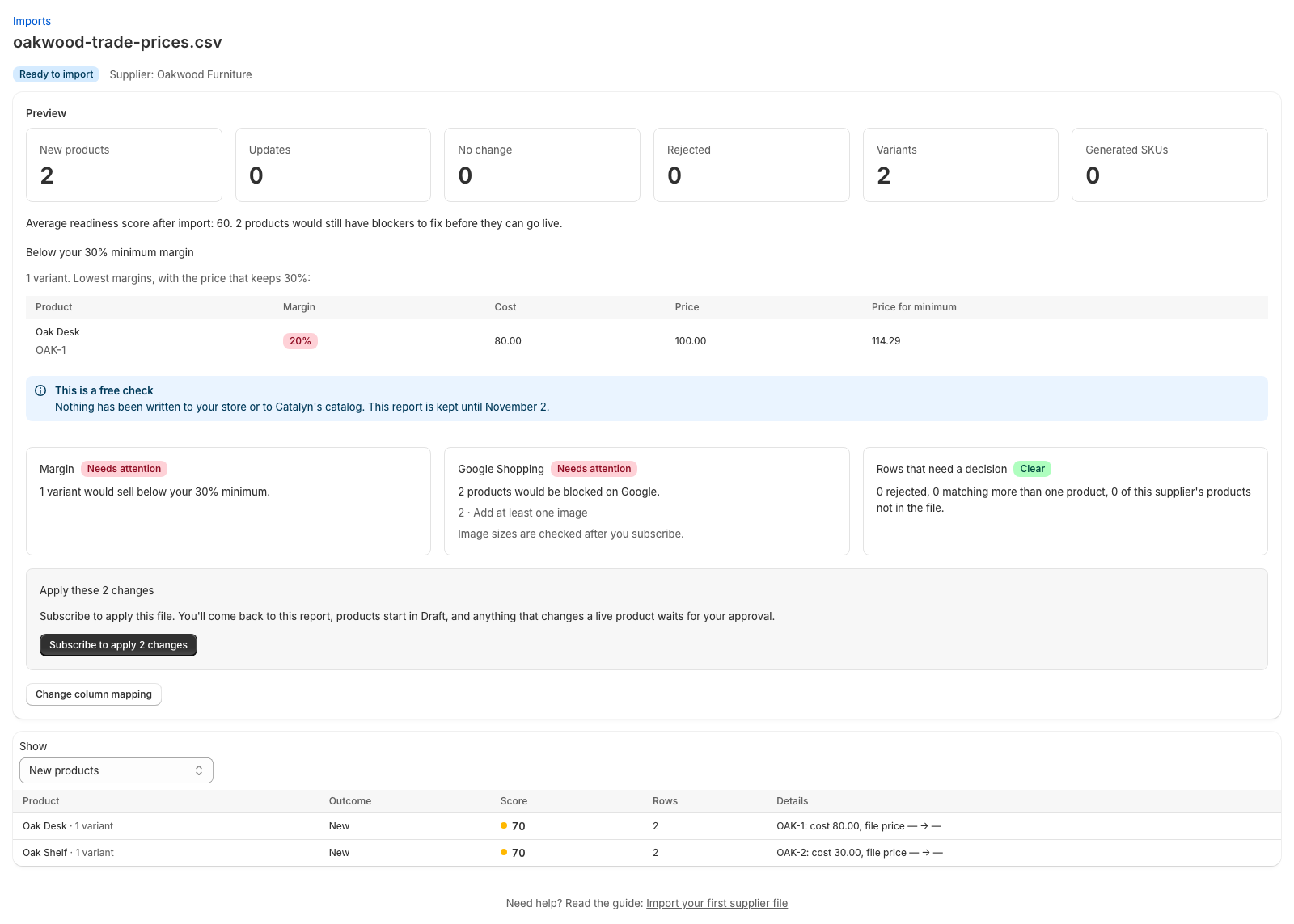
The report, with Apply locked until you subscribe - Download problems to get a file listing each rejected row and warning, to send to your supplier.
What you get on the free plan
- 3 checks a month, 1 PDF or photo a month, and files from up to 3 suppliers. The allowance resets on the 1st of each month.
- Reports are kept for 14 days, then deleted with the uploaded file.
What needs a plan
Applying the file (import, approval and undo), choosing which product an ambiguous row updates, cleaning up values, row filters, calculated columns, supplier pricing rules, scheduled feeds, upload links and importing from product pages.
When you subscribe from a report you come back to the same report and can apply it. New products start in Draft, and changes to live products wait for your approval.
Related
Import your first supplier file · Set a minimum margin for a supplier
Still stuck, or something here is out of date? Email [email protected].