Knowledge base › Suppliers and imports
Set a minimum margin for a supplier
A minimum margin protects you from a supplier price rise or a mapping mistake selling a product for less than you can afford. Catalyn flags any variant that would sell below it.
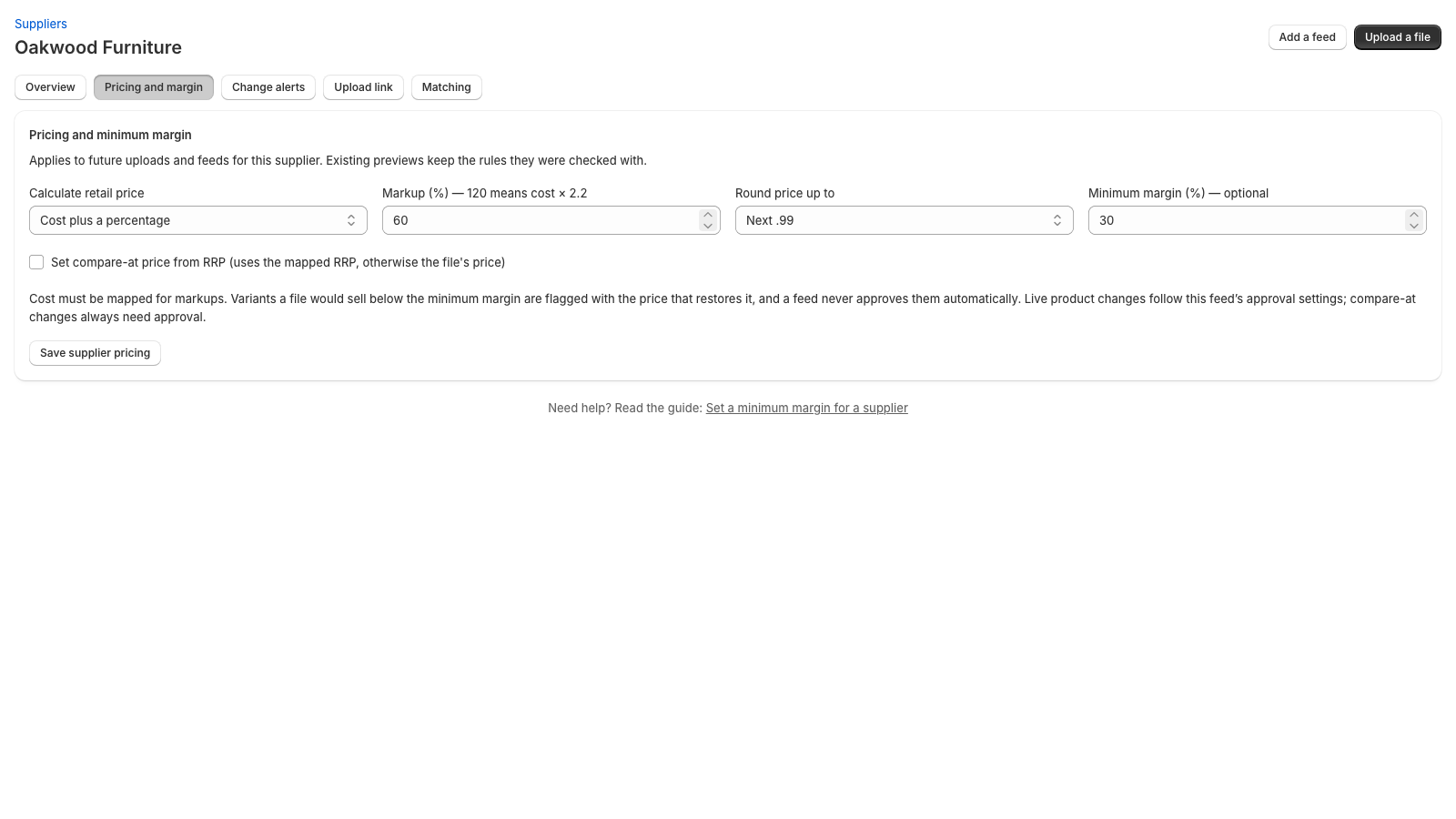
- Go to Suppliers, open the supplier, then the Pricing and margin tab.
- Choose how to Calculate retail price: use the file's price, or cost plus a percentage or a fixed amount. For a percentage, 120 means cost × 2.2.
- Choose what to Round price up to, such as the next .99.
- Enter the Minimum margin (%).
- Select Save supplier pricing.
What happens next
- Each import and feed run now flags any variant that would sell below the minimum, and shows the price that restores it.
- A feed never approves those changes on its own. They wait for you.
- The preview before you import shows before and after prices for every variant.
- Cost must be mapped for markups and margins to work.
You can also enter a minimum margin while you check or import a file, on the mapping screen. After you subscribe, you can keep the margin you used as the supplier's own.
Prices are never converted between currencies. If the file's currency differs from your store's, Catalyn blocks the import until you correct it.
Related
Import your first supplier file · Approve and undo an update
Still stuck, or something here is out of date? Email [email protected].