Knowledge base › Suppliers and imports
Connect a supplier feed
A feed lets Catalyn check a supplier's file on a schedule, so price and product changes arrive without you uploading anything. New products arrive as drafts, and changes to live products wait for your approval.
Add the feed
- Go to Suppliers, open the supplier and select Add a feed. (You can also select Add a supplier feed on the Imports page.)
- Choose the supplier, give the feed a name and choose where the file is: a web address, a Google Sheet that anyone with the link can view, or an FTP or SFTP server.
- For an FTP or SFTP server, enter the server, port, username, and a password or private key, and the file path. A file name can contain a
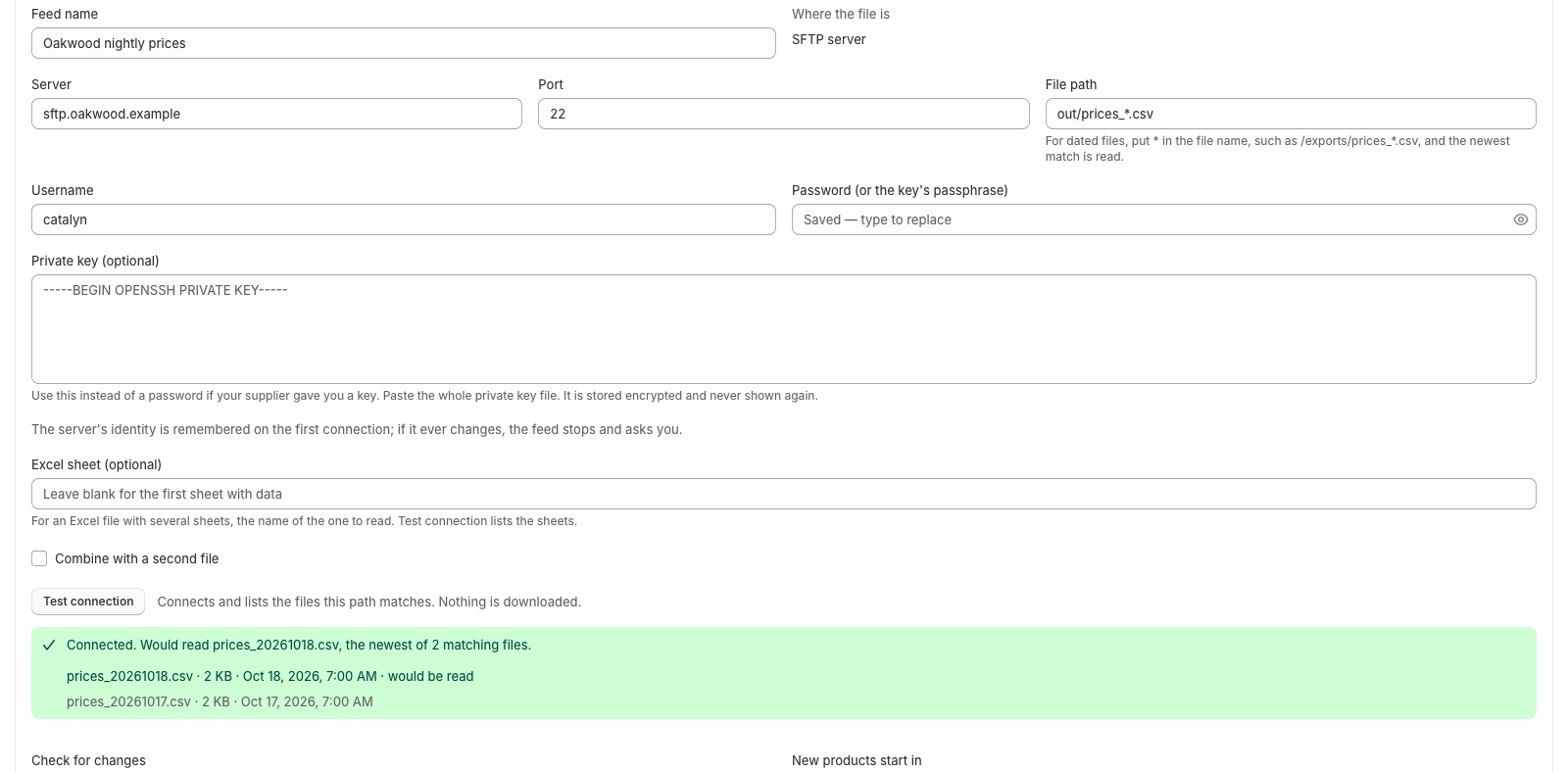
*, such as/out/prices_*.csv: the newest matching file is read once it has finished uploading. - Select Test connection. Catalyn connects and lists the files the path matches, and says which one it would read, or what is wrong. Nothing is downloaded or imported by the test.
- Pick how often to Check for changes (the choices depend on your plan) and what stage New products start in.
- Select Fetch the file and map columns.
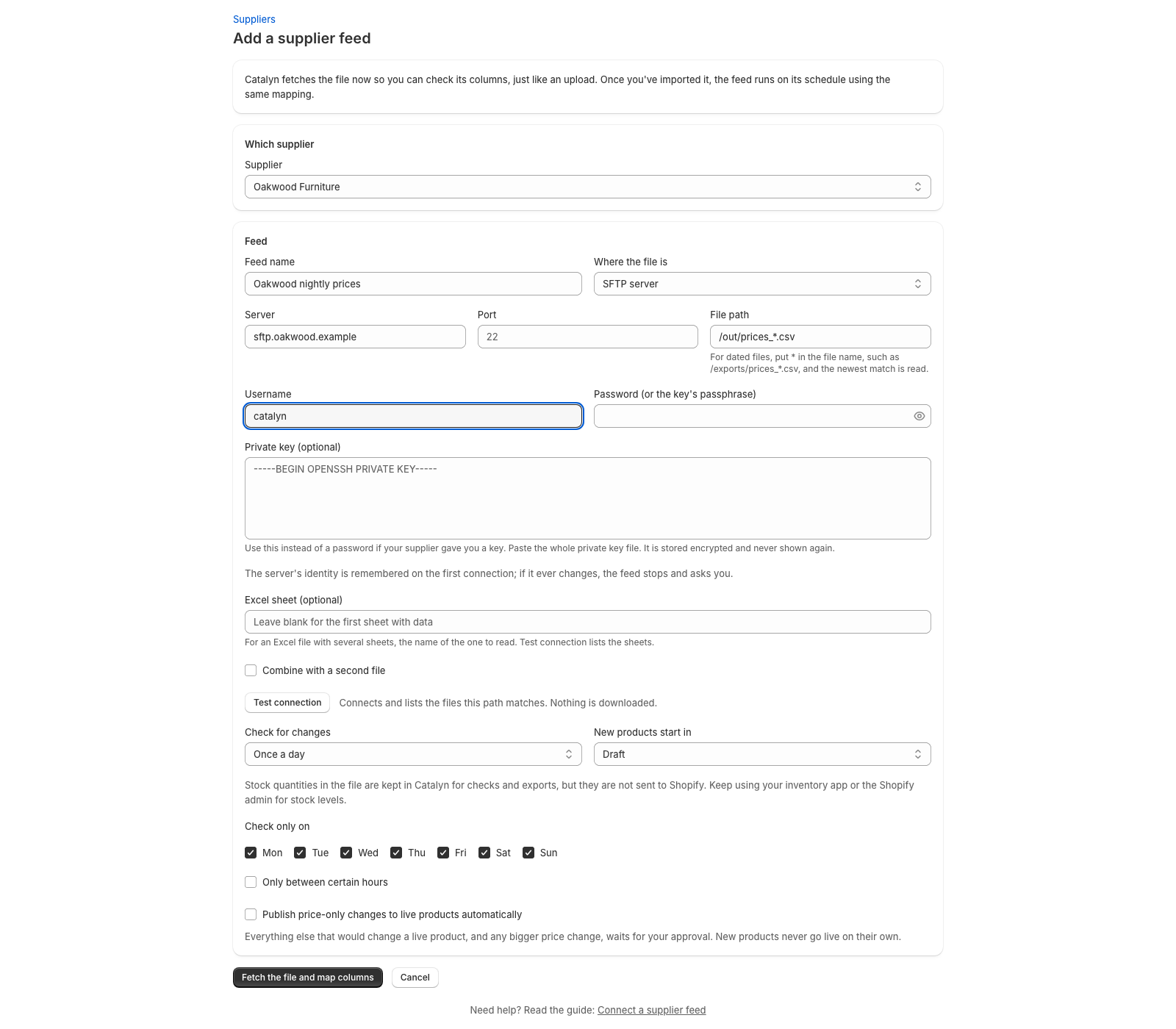
Catalyn fetches the file now so you can check its columns, just like an upload. Confirm the mapping and import it. From then on the feed runs on its schedule using the same mapping.
Check that it works
Open the feed from the supplier's page to see each check, how long it took and which version of the mapping it used. Test connection is also on the feed's settings, so you can check it again after changing the path or the password.
Pause, duplicate or delete
At the top of a feed: Pause stops the checks, Duplicate starts a new feed from this one's settings, Delete feed removes it, and Check now runs a check straight away.
If the feed pauses
The supplier changed the layout or sent a partial file. Open the feed, check the new columns, confirm the mapping and resume. Catalyn also pauses a feed when the server's identity changes, and asks you to confirm.
Related
Set a minimum margin for a supplier · Clean up messy supplier values
Still stuck, or something here is out of date? Email [email protected].