Knowledge base › Products and quality
Fix products with AI
Catalyn can write what a product's failing checks ask for: a description, SEO title and description, tags, image alt text, a Shopify category and attributes. It uses only the facts already known about the product, and you review every suggestion before it is saved. AI fixes need a paid plan.
Fix one product
- Open the product and expand Fix with AI. If you pick a writing style under Settings, AI writing, you can choose it here.
- Select Suggest fixes.
- Read each suggestion. You can edit any of them. Each shows what the product has now, and an attribute shows how confident the AI is and the evidence it used.
- Untick the category or an attribute you don't want. A low-confidence attribute is unticked until you check it.
- Select Save suggestions. For a draft product the changes are saved straight away. For a live product they become an update that waits in Approvals.
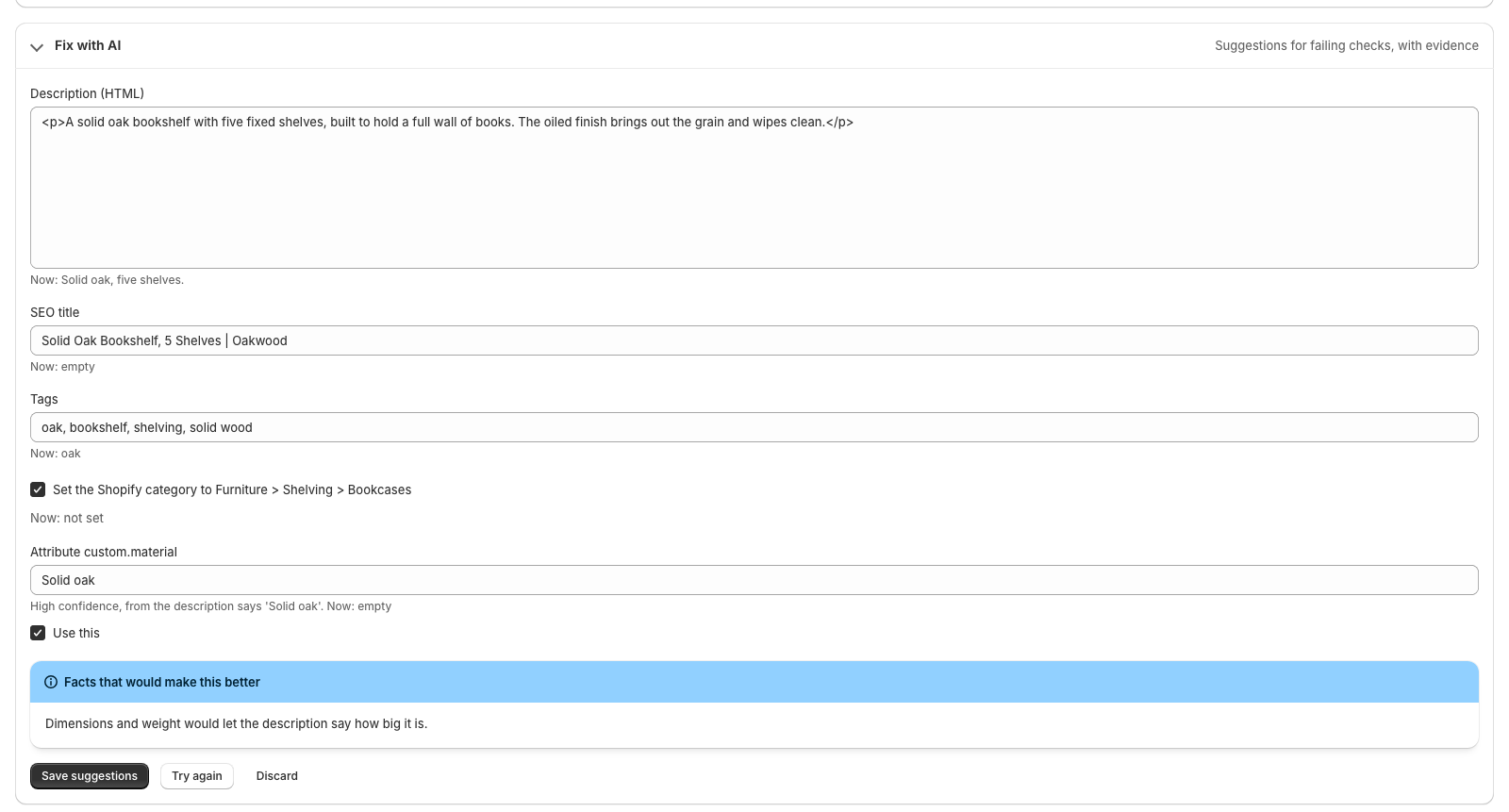
If the AI is missing a fact that would improve the result, such as dimensions, a note under the suggestions says so. Try again asks for new suggestions and Discard clears them.
Fix many products at once
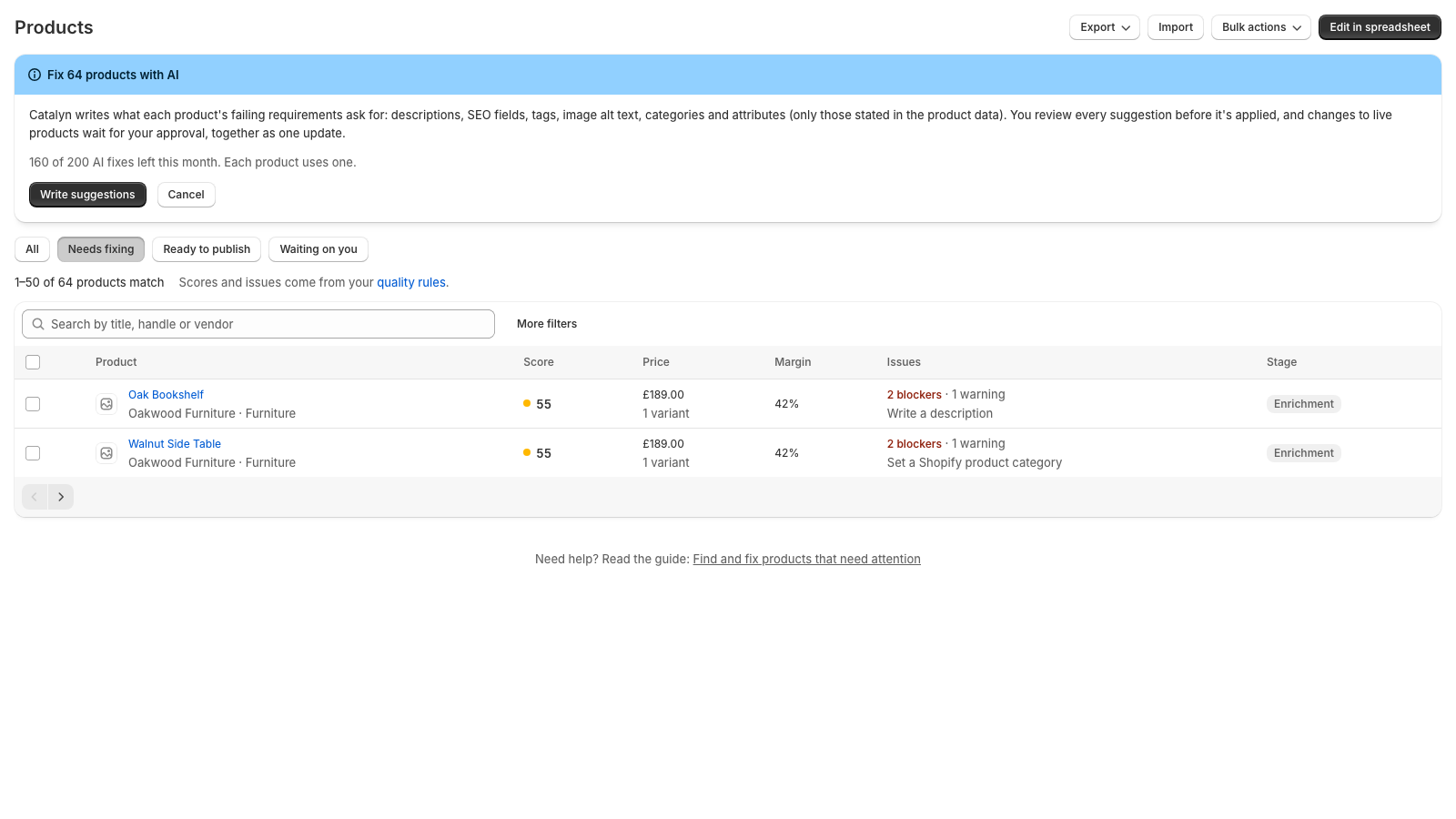
- Open Products and narrow the list with a view or a filter, for example Needs fixing. Bulk AI fixes need a filter so you only act on the products you meant.
- Open Bulk actions and choose Fix N products with AI.
- Check how many AI fixes you have left this month. Each product uses one.
- Select Write suggestions. Catalyn writes them in the background, up to a set number of products at a time.
Review the suggestions
When the suggestions are ready, open the AI fixes page. It lists each product with every change in full, and what it was before.
- Tick the suggestions you want, or Select all.
- Use Edit beside a field to change the wording before you apply it.
- Select Apply beside one product, or Apply N selected at the top for several.
Products where the AI had nothing to add are listed at the bottom under Nothing to apply.
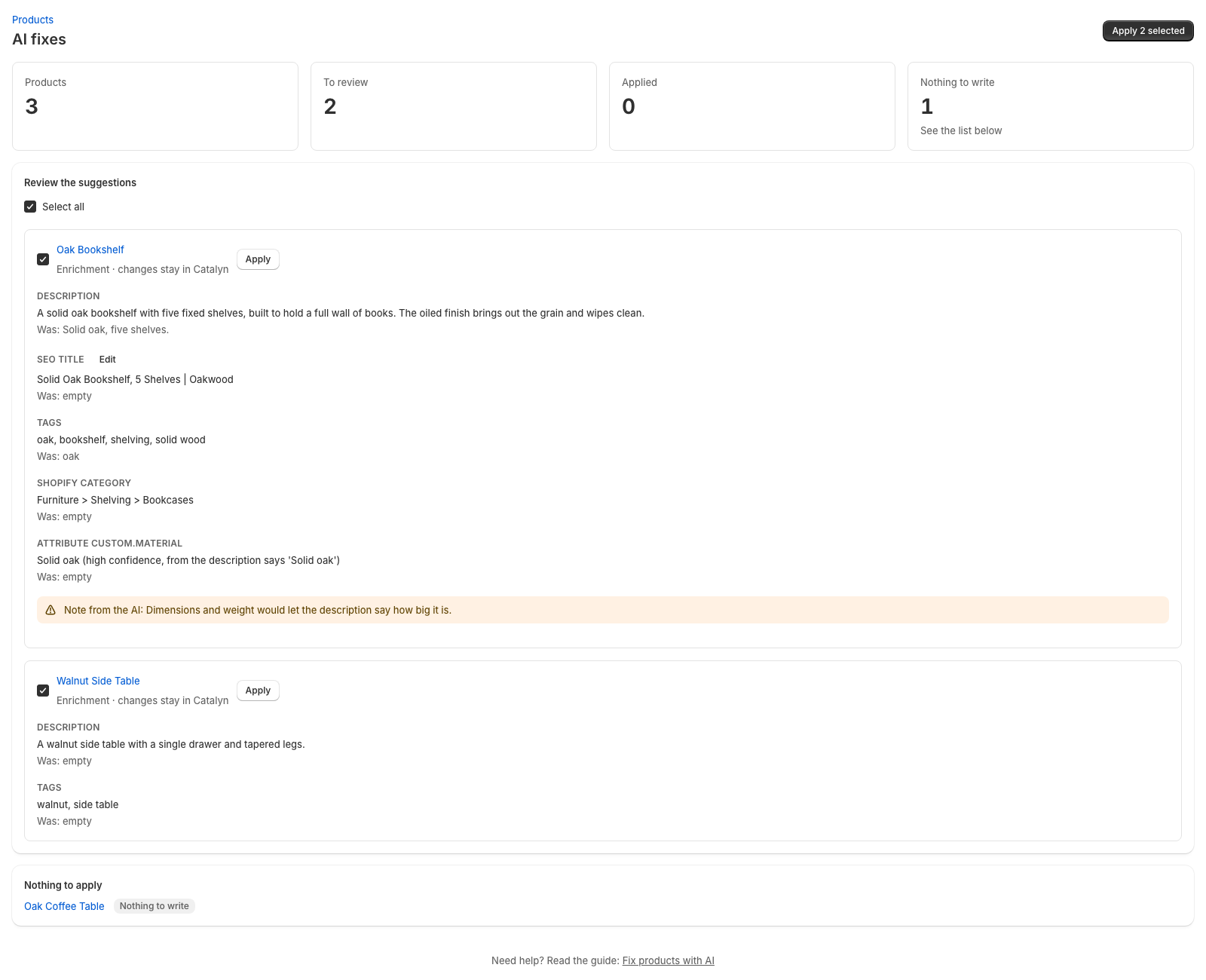
Applying a suggestion saves it in Catalyn. For products that are live in Shopify, the changes are grouped into one update in Approvals, and nothing reaches your store until you approve it.
Good to know
- Suggestions never invent specifications. Attributes are only filled in from what the product data states.
- Your monthly allowance depends on your plan: 200 products on Starter and 1,000 on Growth.
- Set the tone and language the AI writes in under Settings, AI writing.
Related
Find and fix products that need attention · Approve and undo an update
Still stuck, or something here is out of date? Email [email protected].