Knowledge base › Products and quality
Set your quality rules
Quality rules are the checks every product has to pass. They decide the readiness score on each product, which products have blockers, and which products can move on to the next stage.
Open Products and select quality rules beside the product count, or go to the Quality rules page from there.
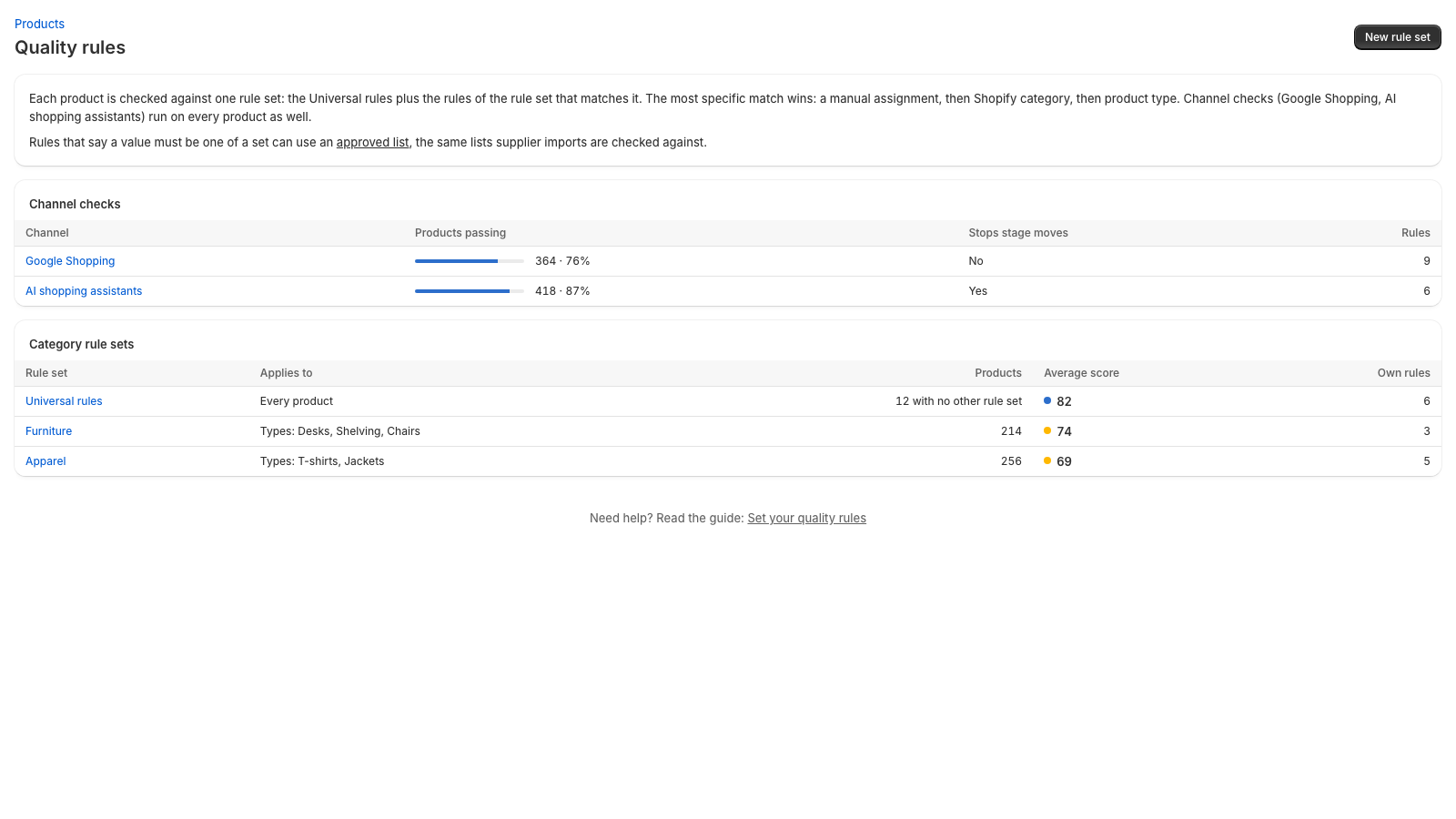
How products are matched to rules
Each product is checked against the Universal rules plus the rules of the one rule set that matches it. The most specific match wins:
- a rule set you assigned to the product by hand;
- the product's Shopify category;
- the product's product type.
A product that matches nothing gets only the Universal rules. The page shows how many products each rule set covers and their average score.
Channel checks for Google Shopping and AI shopping assistants run on every product as well, so you can see how many products are ready to sell on each. A channel can stop products moving to the next stage when they fail one of its blockers. The page shows whether it does ("Stops stage moves").
Look at a rule set
Select a rule set to see its products, average score, rules in effect and the blockers among them.
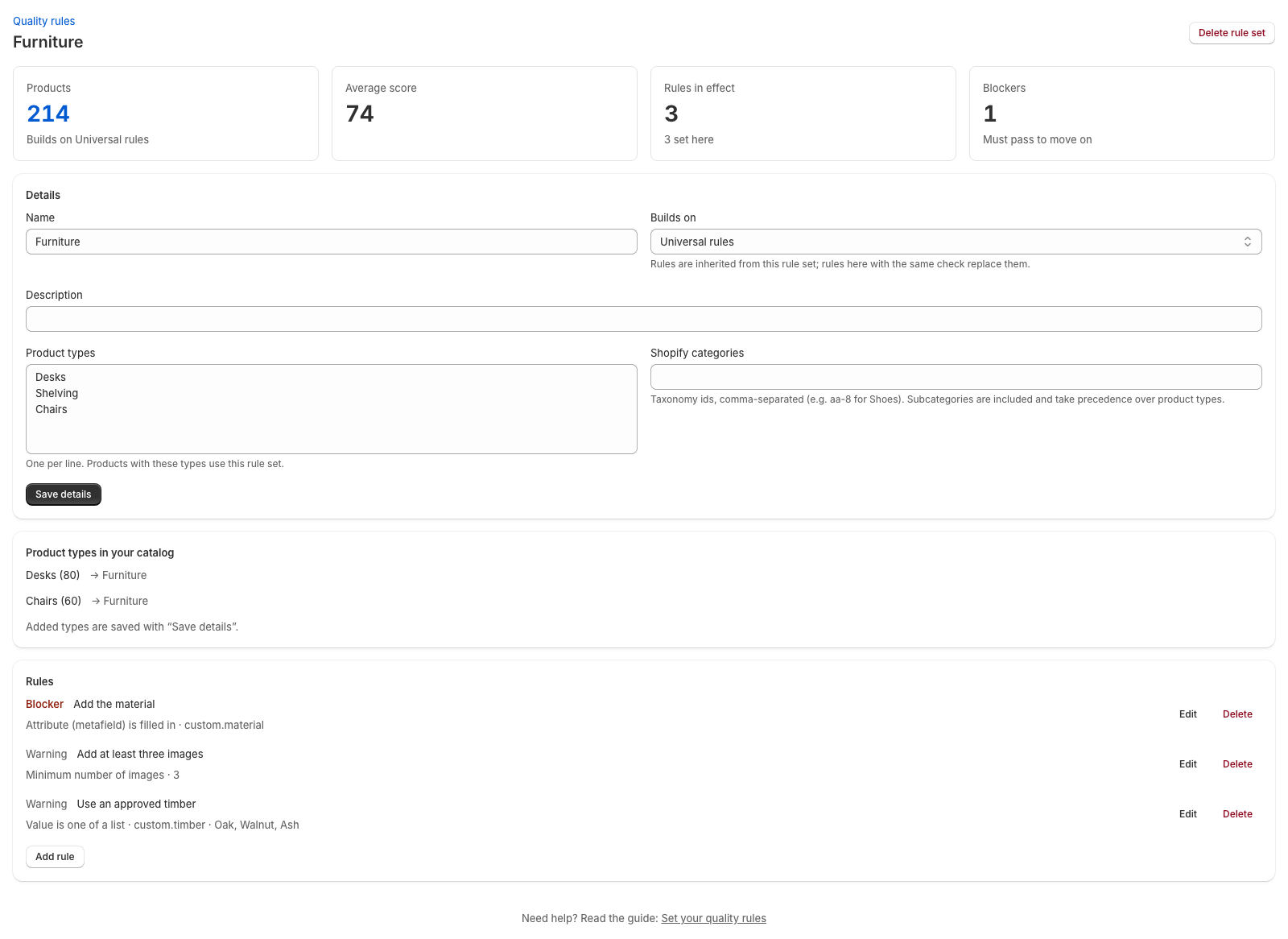
- Builds on lets a rule set inherit another's rules. A rule here with the same check replaces the inherited one.
- Product types and Shopify categories say which products use this rule set. Product types in your catalog that no rule set covers are listed so you can add them.
- Rules are the checks themselves. Each is either a Blocker, which stops the product moving on, or a Warning, which lowers the score but does not stop it.
Add or change a rule
- Open the rule set and choose Add rule, or Edit beside an existing one.
- Write what the person fixing it should do, for example "Add the material".
- Choose the check, such as a field being filled in, a minimum number of images, a value from an approved list, or a format.
- Choose whether it is a Blocker or a Warning.
- Save. Products are checked again against the changed rules.
To create a new rule set, choose New rule set at the top right of the Quality rules page, name it, and add its rules. Rules that need a value from a set can use an approved list, the same lists supplier imports are checked against.
Related
Find and fix products that need attention · Read your Home screen
Still stuck, or something here is out of date? Email [email protected].